collabDoo · All for one. Done by all.
Everyone knows what to do. And how.
collabDoo organises the recurring tasks of your household or team – with a how-to on every task, fair distribution and points that fill shared goals and unlock rewards. Playful, not strict. For families, shared flats, couples, clubs and offices.
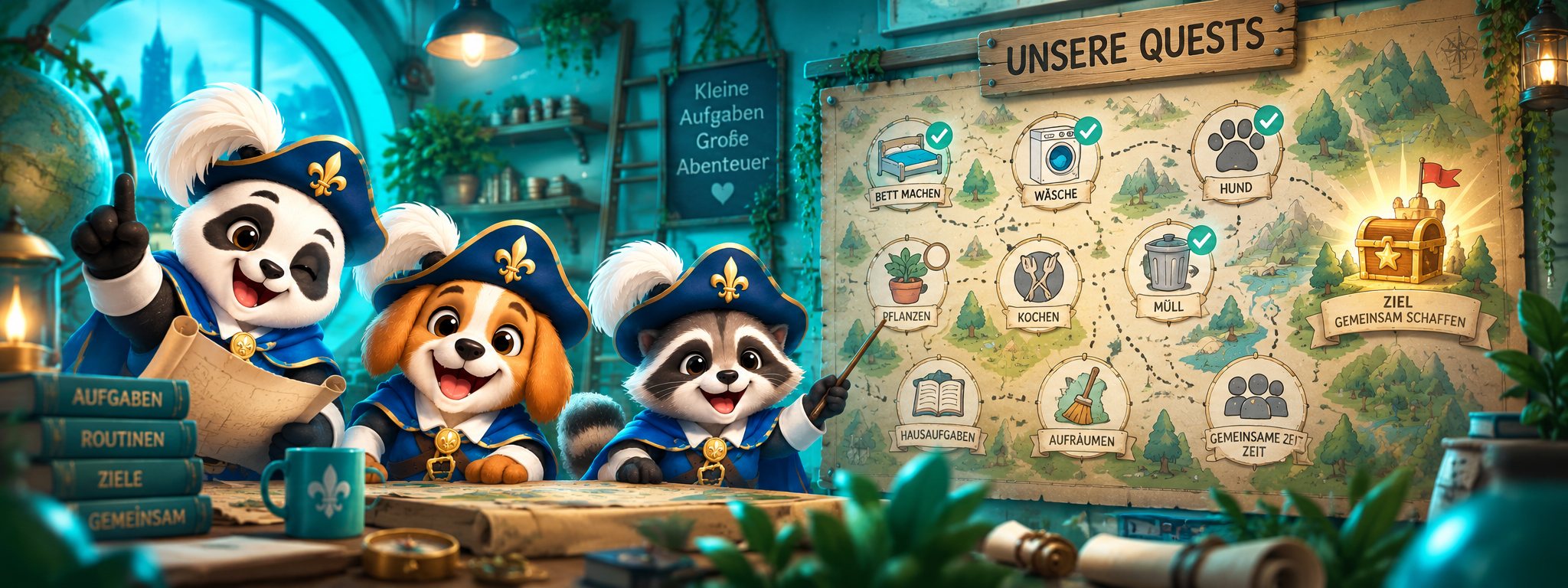
The promise
collabDoo knows what needs doing, when, who can do it, how to do it right – and whether it got done.
A shared home should not depend on one person keeping everything in their head.
Highlights
What makes collabDoo different
Not a to-do list, but a shared organisation and knowledge system.
Knowledge is attached to the task
Every task can open a how-to: steps, materials, where things are kept, warnings, photos. Whoever gets the task does not need to know beforehand how it works.
Fair, not just equal
Rotation within groups, “each for themselves” (create homework once, every child gets their own), free pick-up or fair distribution by actual effort – absences and eligibility included. No aggressive leaderboard.
Rewards that motivate
Points fill the personal goal, the group goal and the family goal at once – and unlock rewards: pick the dinner, movie night, cinema trip. Cooperation beats competition.
Diamonds to trade in
Every point earned is also a diamond. Kids save for rewards, new profile pictures or the group pot for the cinema – and in the marketplace you trade “do the laundry once” for diamonds. And if you like, style your own app or put a harmless spell on the others: style & spells.
Family & happy moments
A tab of its own for the people: big tiles with profile pictures, badges only for the leaders – and a colourful wall where everyone captures nice moments with photo and sticker. Deliberately without points. More under family & happy moments.
Kids without their own account
One parent account, any number of profiles. Kids and guests switch with a PIN – also on the kitchen tablet. Plus the simple view with their own background and avatar.
Proof when it matters
Simple tick – or a required checklist, photo, signature, reading and four-eyes confirmation. The history stays immutable.
Little love notes
A greeting with hearts or confetti to everyone, a group or one person – “Proud of you 🎉”. Not a chat: look once, send a heart back, gone after seven days. Sent to the kitchen board, as a sticky note on the kitchen display.
Widgets, Siri, NFC
“Done” right in the widget on the home and lock screen, Siri shortcuts, a Live Activity for routines and NFC tags on the rabbit hutch or the coffee machine.
Important tasks
Tasks that never slip
Dozens of push notifications a day – and half of them get lost. For most reminders that is fine. For some it is not.
Time-sensitive · nag · pinned
Give the medicine, pick up from daycare, stove off – that must not vanish in the notification pile
A normal reminder comes once, lands between a newsletter and a group chat and is gone. That is why you choose per task how persistent collabDoo should be: as a time-sensitive notification that gets through Focus mode and stays at the top of the lock screen; with nagging until done at your interval – each new reminder replaces the previous one, the list never fills up; or pinned to the lock screen as a Live Activity that only disappears with the tick.
- Chosen per task, individually or together – normal tasks stay quiet
- “Done”, “In 15 min” and “In 1 h” right in the notification, on the Apple Watch too
- Done but forgot to tick it off? An admin marks it as done for the person with one tap
- How to set it up
Core principle
Tasks have a foundation – not just a title
Area Pets → object Rabbits → knowledge Rabbit care → task template Feed the rabbits, daily in the morning, kids in rotation → today: Max by 8:00, done at 7:42. You maintain the foundation once, collabDoo creates the concrete task every day. What is finished stays as it was.
Playful & motivating
Chores become quests
Every completed task earns points. Points fill goals – your own, the group’s and the whole family’s. And behind every goal waits something to look forward to. No punishment, no leaderboard: whoever joins in wins together with everyone.
- ⭐Collect points5 points for the rabbits, 20 for the bathroom, a bonus for volunteers and Sunday duties. Every completion counts right away – from the widget, too.
- 🎯Fill goals“Max: 100 this month”, “kids: 250 together”, “family: 600” – one completion feeds all three rings. Plus streaks: seven days with nothing overdue.
- 🎁Unlock the rewardPick the dinner, movie night, stay up longer, a cinema trip for everyone. Automatic or with approval – or traded for diamonds, alone or together via the group pot.
- 💎Trade in diamondsEvery point is also a diamond: for a new profile picture, a greeting animation or “breakfast in bed” from the marketplace. The stars for the goals stay.
Points are optional and can be switched off per household or set to “progress only”. There are no minus points.
New · maths practice
Times tables with confetti
Kids practise – and earn points for it. A task “practise maths” is completed with a round of sums: addition and subtraction, times tables and division for years 1 to 4. Every right answer brings confetti, every wrong one the solution to remember. The grade decides the points – and below 50 % there is simply another round.
- Quick pick years 1–4, everything adjustable
- With a time limit or completely relaxed
- On iPhone, iPad and Android
Features
Everything a household needs
Day to day it stays simple: what do I need to do now? The rules work in the background.
Today & focus
Three views, two styles, widgets, Siri
- View standard, simple or list
- Playful or minimalist style
- Important tasks that never slip
Tasks & recurrence
Recurrence, several times a day, holidays, private
- Several times a day (medication)
- School holidays, public holidays & vacation
- Private & group as
Assignment & fairness
Rotation, each for themselves, fair distribution
- Rotation & fair distribution
- Each for themselves (e.g. homework)
- Absence & stand-ins
Knowledge & objects
How-tos on the thing, NFC tags
- Areas & objects
- How-tos with photos
- NFC tag on the object
Completion & proof
Checklist, photo, maths practice, four-eyes
- Checklist, photo, maths practice
- Four-eyes principle
- Immutable history
Points, goals & rewards
Three levels, streaks, rewards
- Personal · group · household
- Streaks & rates
- Redeem rewards
Diamonds & marketplace
Trade in, group pot, marketplace, gifts
- Trade for rewards & pictures
- Group pot
- Marketplace for favours
Style & spells
Ring, frame, celebration · pranks with defence games
- Ring, frame, celebration, app icon
- Pranks with defence games
- Counter-spell & shield
Family & happy moments
Us tab with badges, colourful moments wall
- Big tiles, no numbers
- Super saver, champion, star of the month
- Moments with photo & sticker
Greetings & little love notes
One message with animation, no chat
- Hearts, confetti, stars …
- To everyone, group or person
- Sticky note on the kitchen board
Kids & profiles
Parent account, PIN, simple view
- One parent account
- Profiles by PIN
- Simple view
Privacy & security
Servers in Germany, no ads
- Servers in Germany
- Files encrypted
- Delete account anytime
The app
Playful for kids, calm for adults – everyone chooses for themselves
Three views (standard, simple, list) and two styles (standard, minimalist), freely combinable per profile. Rules and data are the same for everyone – only the presentation changes.
Minimalist
For adults who find the colourful view too playful: soft image, glass cards, one accent colour, no confetti.
Simple view
For kids: big header, one big card with a picture, goal rings – nothing else.
List
The classic to-do list like Apple’s Reminders: smart lists, sections, round ticks, “+ New task”.
Getting started
The first steps are quick – the rest grows with you
The basic setup takes ten minutes. Then comes the real part: writing tasks down so they fit your everyday life – and getting the app onto everyone’s phone. That is work, but one-time work.
Create your household
Family, shared flat, couple, club, office team or class – the type drives wording and suggestions. Federal state for holidays right away.
Take over the starter set
From the catalogue, tick only what really comes up at your place. Better five tasks that fit than thirty nobody maintains.
Set up everyone’s phone
Every adult installs the app, creates an account and joins with the invitation code. Kids get profiles with a PIN. That takes a few minutes per device – best done together at the kitchen table.
Let it run for two weeks, then extend
Only once the first tasks have settled into daily life: add how-tos, refine assignments, take in more areas. Step by step, not everything in one night.
Important
Do not try to set up everything perfectly from the start
The most common reason such systems fail is not the app – it is the ambition to map the whole household in every detail on the first evening. That creates frustration, for you and for those who are supposed to join in. Start with the five things that annoy you most. Let them run for two weeks. Then add what is missing and drop what nobody needs. Writing tasks down well – with the right recurrence, assignment and how-to – is work. But it is work you only do once.
Who it’s for
A household is more than a flat
collabDoo adapts to the team – with its own suggestion catalogue per type.

Family
Kids, pets, school, garden

Shared flat
Cleaning rota, fund, shared shopping

Couple
Share fairly, no arguments

Club
Pitch, kits, bar duty

Office & team
Kitchen duty, printer, plants

School class
Board duty, class fund, class pet
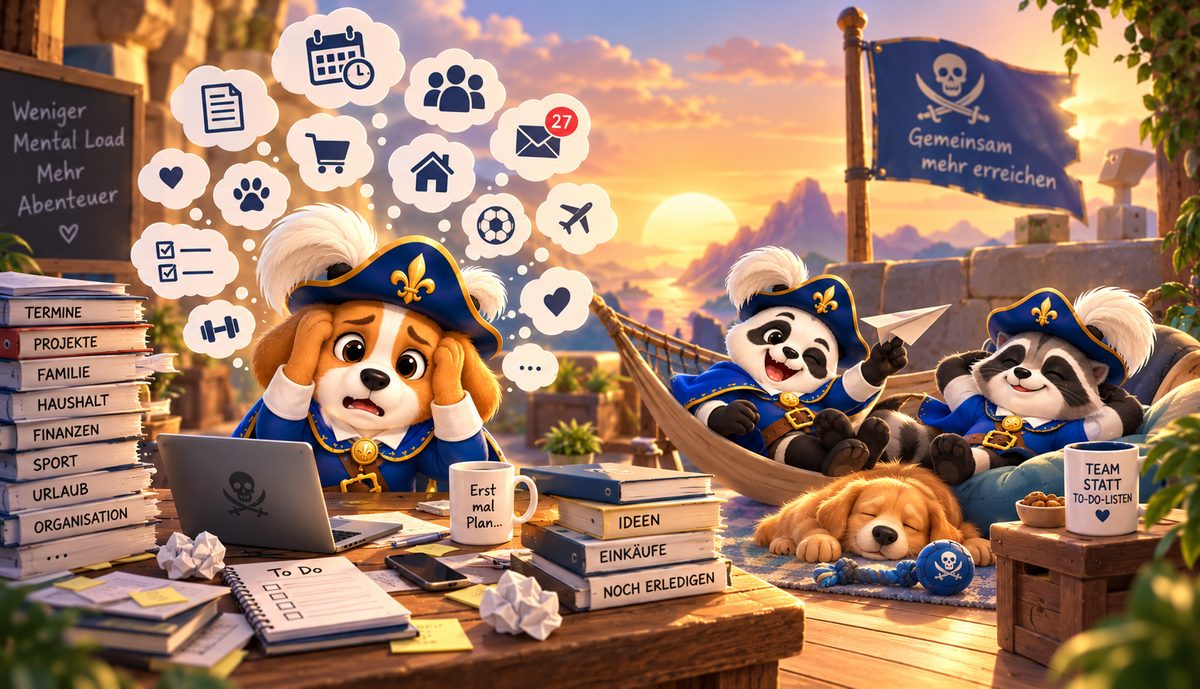
Mental load
Share the invisible list in your head
The team
The team behind collabDoo
A passion project of Code Piraten GmbH from Essen, Germany. We earn our living with ticketYoo, guestoo and workYoo – we build collabDoo because we need it at home ourselves.


Stefan Wirtz
Managing director & founder of Code Piraten GmbH
“collabDoo was born in our own home – we build it the way we need it ourselves.”
Behind collabDoo stands the whole Code Piraten team: a dozen people in development, support, training, technical writing and content – based in Essen since 2015, with more than ten years of software for guest management, time tracking and teamwork. Most of us have kids, shared-flat experience or a club role ourselves. That is exactly where collabDoo came from.
- Built and hosted in Germany
- Support in German and English, by humans
- Every piece of feedback from a real household lands directly with the team
From the suggestion catalogue
Sound like your everyday life?
Teal = tasks, orange = rewards. Everything adjustable, everything bilingual.
FAQ
Frequently asked questions
Which devices is collabDoo available for?
collabDoo is a native app for iPhone and iPad from iOS 17 – with widgets for the home and lock screen, Siri shortcuts and Live Activities. For Android 8.0 and later, collabDoo is available for free on Google Play – with widgets, app shortcuts and important tasks on the lock screen. All data lives on our servers, not on the device: mixed households with iPhone and Android work on the same data.
Do kids need their own account?
No. One parent account (e-mail/password or Sign in with Apple) is enough. Kids and guests are profiles in the household and switch with a PIN – no e-mail address needed. That is the clean solution for children under 13 and also works on a shared kitchen tablet.
What does collabDoo cost?
For families, school classes and shared flats collabDoo is free – and stays free. We show no ads and sell no data. collabDoo is a passion project of Code Piraten GmbH; we earn our living with ticketYoo, guestoo and workYoo. Only for commercial use in larger teams do we reserve the right to charge something in the future.
Can kids learn with collabDoo too?
Yes – with maths practice. A task like “practise maths” is then not ticked off but completed with a round of sums: addition, subtraction, times tables and division for years 1 to 4, with a quick pick per year, number range, tables, number of tasks and time limit. Right answers come with confetti, wrong ones with the solution. The grade decides the points; below 50 % the task stays open. Guide: set up maths practice.
Can you spend points too?
Yes. Every point earned is also a diamond. You trade diamonds for rewards, profile pictures, backgrounds and greeting animations, chip them in to a group pot or swap them in the marketplace for help from the family (“do the laundry once”). The points themselves (stars) stay and keep counting for all goals. You set prices per household, 0 = free. There is also styling (ring, frame, your own celebration for 30 days) and harmless pranks you block with a mini game – see style & spells. Guide: diamonds & marketplace.
Where is our data stored?
On servers in Germany, operated by Code Piraten GmbH from Essen. Uploaded files are stored encrypted (AES-256), photos are saved without location data. You can delete members, the household or your account completely at any time. More under privacy & security.
What happens during school holidays or vacation?
You decide per task. For school holidays, public holidays and your own vacation every task has three settings: Normal (no effect), Not (“pack the school bag” is skipped during the holidays) or Only (“practise maths” only exists during the holidays, but not on vacation). collabDoo knows school and public holidays for all 16 German federal states; vacations you enter as periods. Catch-up tasks like “descale the coffee machine” are not dropped, they move to the next suitable day. Guide: school holidays, public holidays & vacation.
Isn’t collabDoo too playful for adults?
Everyone chooses their own style and view. If musketeers and confetti are too much for you, take the minimalist style: calm, glass cards, one accent colour, no celebration animations. And if you prefer a classic to-do list, choose the list view with smart lists, sections and round ticks like Apple’s Reminders. The kids keep their colourful simple view meanwhile – same tasks, different presentation. Set after the first login and any time under More → Appearance.
Can I set up medication morning and evening without everyone seeing it?
Yes: several times a day with the times “7:00 before breakfast” and “19:00 after dinner” turns two tasks into one. Several medications at the same time are grouped by group as into one card “Grandma’s medication (3)” with “All done”. Private ensures only the assignees see the task – never on the kitchen display. And important nags until it is done. Guide: setting up medication.
What if a reminder gets lost?
Normal reminders may get lost – not “give the dog its medicine”. That is why every task can be an important task with three levels: as a time-sensitive notification that gets through Focus mode; nagging until done; or pinned to the lock screen until someone ticks it off. Every reminder also has “Done” and “In 15 min” buttons right in the notification. And if someone did the task but forgot to tick it off, an admin marks it as done for that person with one tap. Guide: important tasks.
Does collabDoo work without internet?
The Today view is cached and completions are queued and sent as soon as there is a connection again – in the basement or at the clubhouse with weak reception, for example.
Can I use collabDoo in several households?
Yes. One account can be a member of several households – at home and in the club, for example. Each household has its own members, tasks, points and goals.
Who is behind it?
Code Piraten GmbH from Essen, Germany – software development since 2015, including ticketYoo for guest management. collabDoo is a standalone product that grew out of our own family life.
collabDoo · All for one. Done by all.
All for one. Done by all.
Get collabDoo for free on the App Store or Google Play – and tell us what your household still needs.
iPhone & iPad from iOS 17 · Android from 8.0